ledgewin App vs Website: Pick the Right Door
Short answer: install the Android APK if you open the site on your phone several times a day, because the home screen icon and saved login cut the waiting. Stay on the mobile browser if you play now and then or share a handset with family. Move to the desktop browser when you want to read rules, check a long withdrawal history, or handle a bigger cash-out without squeezing a table into a phone screen.
- APK version 2.7.13 · 28 MB
- Android 8.0 and up
- Free download
- Latest build 12 Nov 2026
18+ · Play Responsibly
Compare the three ways to open ledgewin
Same account, same wallet, same games. What changes is how you get in and what the screen lets you do once you are there.
| Option | Install and setup | How fast it opens | Data use | Alerts and login | What you can play | Cashier | Fits you if |
|---|---|---|---|---|---|---|---|
| Android app (APK) | 28 MB file from the app page; Android 8.0 or newer; one permission prompt | Fastest repeat open once installed | Pages settle after the first load, so repeat sessions pull less | App alerts, and the login stays signed in | Full lobby: slots, fishing, crash, cricket and football markets | bKash, Nagad, Rocket and Upay inside the app | You log in daily from one phone |
| Mobile browser | None. Open the site in Chrome and add a shortcut if you want one | Fine on strong signal, slower than the app on weak signal | Full pages load on every visit | No push alerts; username and password each session | Full lobby, same markets and same wallet | Same four mobile wallets, no install needed | You share a phone, use an iPhone, or play occasionally |
| Desktop browser | None, but you need a computer and steady home connection | Quick on home broadband; out of reach when you are outside | Runs on broadband, so your mobile data stays untouched | No push alerts; log in per session | Full lobby with room to read RTP tables and rules | Easiest place to upload KYC files and fill the withdrawal form | You want wide tables, big cash-outs or careful record keeping |
On a phone, swipe the table sideways to reach the last columns.
Android app: the fastest repeat login after one install
Version 2.7.13, 28 MB, free, and it needs Android 8.0 or newer. You download it from the ledgewin app page as an APK file, not from a store.
The app is the version built for one thumb. The icon sits on your home screen, the session survives a locked screen, and the cashier opens without hunting through menus. If you place a bet during a tea break, that saving of twenty or thirty seconds is the whole point.
What works well
- One tap from the home screen, no typing a web address on a small keyboard.
- The login stays signed in, so a quick check between tasks takes seconds.
- Alerts for bonus drops and withdrawal status reach you without opening the site.
- Built for narrow screens: bet slips, wallet buttons and game tiles sit where your thumb lands.
- Repeat sessions pull less data because pages are kept after the first load.
- bKash, Nagad, Rocket and Upay all work inside the app, so you never leave it to deposit.
Where it falls short
- Needs Android 8.0 or newer, so a very old handset may refuse the file.
- The 28 MB download plus the storage it keeps is real on a 32 GB phone.
- Android only. There is no iOS build, so iPhone users stay on the browser.
- You allow one install from your browser the first time, which some people prefer to avoid.
- Big update files arrive as a new APK you install yourself rather than silently.
Who it suits: players who reach for the phone four or five times a day, keep a balance running through the week, and want the cashier two taps away. It also helps anyone on a limited mobile data plan who checks odds in short bursts rather than long sessions.
Mobile browser: nothing to install, any phone will do
Open the site in Chrome or Safari and everything is there: the full lobby, the wallet and the same four payment options.
This is the route to take when the phone is not really yours. A shared handset, a borrowed phone, a work device: nothing is left behind after you log out, because nothing was installed. It is also the only way in for iPhone users.
What works well
- No download, no permission prompt, no storage used. Open and play.
- Works on iPhone, Android, a tablet, or a friend's phone in an emergency.
- Nothing to update: you always get the current build of the site.
- Logging out leaves no app behind, which matters on a shared handset.
- Every game and market is available, including the fishing and crash titles.
- A home screen shortcut gives you most of the app's convenience without the file.
Where it falls short
- Each visit reloads pages, so opening takes longer than tapping an installed icon.
- On weak mobile data the lobby and game art load slowly.
- No push alerts, so a bonus or a withdrawal update waits until you open the site.
- You type your username and password each session, which is a nuisance on a small keyboard.
- Browser tabs compete for memory on budget phones and can reload mid-session.
Who it suits: anyone on an iPhone, anyone sharing a phone with family, and casual players who open the site once or twice a week. It is also the safer pick if your handset is nearly full or runs a version of Android older than 8.0.
Desktop browser: the roomy screen for rules and cash-out history
Nothing to install, but you need a computer and a steady connection. What you get in return is space.
Money tasks are simply easier on a big screen. Typing a National ID number into a narrow field on a phone invites a typo, and a withdrawal history with six columns turns into guesswork. On a laptop, those two jobs take a minute.
What works well
- Full-width tables: RTP, minimum and maximum stakes, and wallet history all read at a glance.
- Comfortable for KYC uploads, where you type an ID number and attach a photo.
- Easy to compare two games or two markets in separate tabs before you commit.
- Runs on home broadband, which keeps your mobile data free for the rest of the day.
- No install and no update, so a borrowed or office machine works for a single session.
- A stable connection makes the deposit step less likely to time out mid-payment.
Where it falls short
- You need a computer, which many players in Bangladesh simply do not have at hand.
- No use at all when you are out of the house and want a quick look at a price.
- No alerts, so you find out about a bonus only when you log in.
- Power cuts and connection drops interrupt a session in a way a phone on mobile data does not.
Who it suits: players who treat the account like a ledger. If you withdraw regularly, keep notes on what you spend, or want to read every term on the bonus before you claim it, do that work on the desktop and keep the phone for the fun part.
Pick the one that fits your day
Five common situations, one clear recommendation for each.
You are signing up for the first time
Registration asks for your name, date of birth, phone number and address. That is a lot of typing on a phone keyboard, and one wrong digit in your name causes trouble at KYC later. Use the desktop browser if you have a computer, or the mobile browser on a stable Wi-Fi connection if you do not. Install the app after the account exists.
Go with: browser for sign-up, app afterwards
You check prices and place small bets through the day
Four or five short visits add up. Each browser visit means a fresh load and a fresh login, while the app opens from an icon and stays signed in. Over a week that difference is the main reason people install the APK at all.
Go with: Android app
You are ready for a large withdrawal
The daily ceiling is ৳130,000, and anything above ৳1,100 leaves the account. Before your first withdrawal you need KYC done: a National ID card, passport or driving licence, reviewed in about 2 hours. Do the upload and the form on the desktop browser, where the fields and the file picker are comfortable to use.
Go with: desktop browser for KYC and cash-out
You share a phone with family
An installed app with a saved login is exactly what you do not want on a handset other people pick up. The mobile browser leaves nothing behind once you log out, and there is no icon advertising where you spent the evening.
Go with: mobile browser, and log out each time
Your phone is old or nearly full
If the handset runs a version of Android below 8.0 the APK will not install at all. If storage is tight, 28 MB plus the app's working files is a real cost. The browser needs neither, and the lobby still works, just a little slower on weak signal.
Go with: mobile browser
You want to hear about a bonus the moment it lands
An app alert reaches you with the phone in your pocket. A browser only tells you something new when you open it, and a reload bonus or a cashback credit can sit unnoticed for days that way.
Go with: Android app, alerts switched on
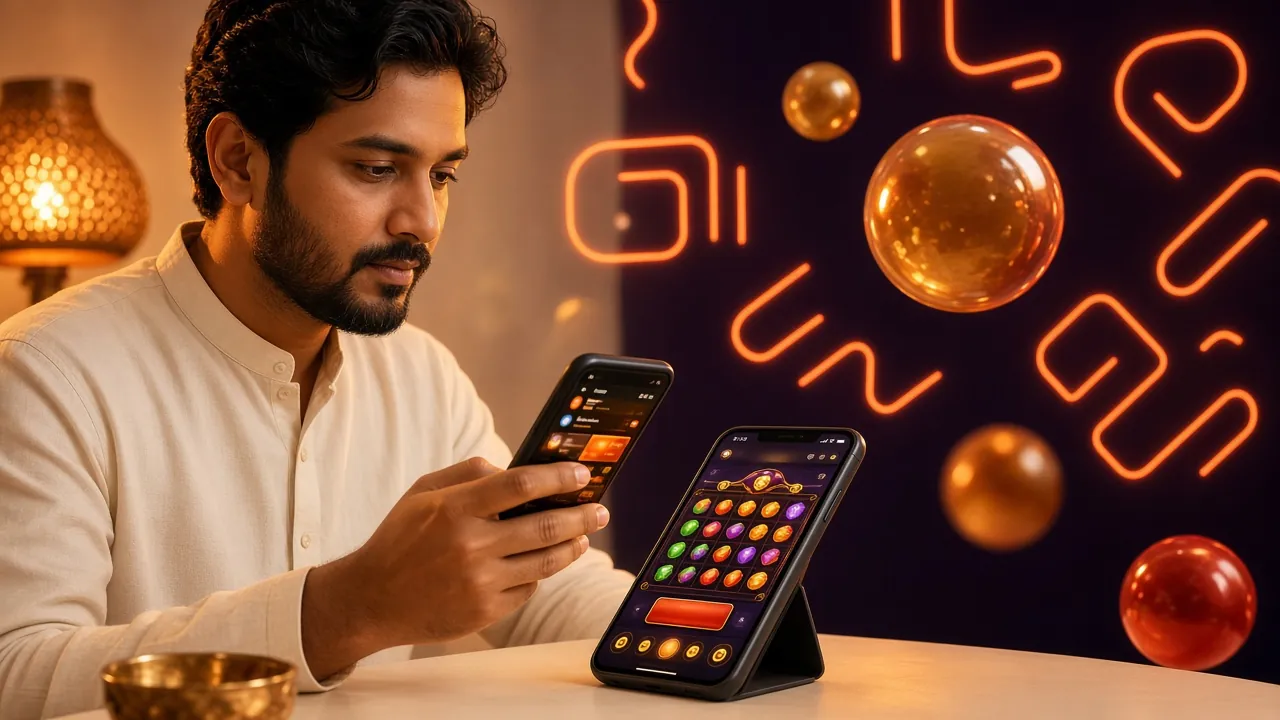
Switching between the app and the browser takes one login
There is one password and one balance. A deposit made in the app shows up immediately in the browser, and a bet placed on the laptop appears in the app's history. Nothing is duplicated.
- First deposit bonus of 195% up to ৳13,000 and the 23× wagering rule apply to the account, not to the device.
- Deposits from bKash, Nagad, Rocket or Upay usually land within 5 minutes, whichever version you use.
- Withdrawals normally clear in about 9 minutes, though the very first one can take up to 1 hour after KYC approval.
Three steps to move your play onto the APK
The whole job takes less time than a bKash deposit.
-
1
Download the file
Open the ledgewin app page on your Android phone and start the 28 MB download. Check that the phone runs Android 8.0 or newer before you begin.
-
2
Allow the install and sign in
Android asks once for permission to install from your browser. Accept it, let the file finish, then log in with the username and password you already use.
-
3
Keep the browser as backup
Save the site address anyway. When a new build is waiting or you are on someone else's phone, the browser gets you into the same account with no download.
Already installed and something looks off? A slow lobby usually means a weak connection rather than a bad file. Switch to Wi-Fi, reopen the app, and try again before you reinstall.
Questions about app and browser play at ledgewin
If your question is not here, the help centre and live chat run all day.
Can I play fewer games in the app than on the website?
Do I need to install the APK before I can withdraw?
How much space does the app take, and what does it require?
Which one uses less mobile data?
Why does Android warn me when I install the file?
Can I stay logged in on both at the same time?
Start with ৳350 and switch whenever you like
One account works on the APK, the phone browser and the laptop. Deposit from bKash, Nagad, Rocket or Upay, claim the 195% first deposit bonus up to ৳13,000, and choose the screen that fits your day.